
Price Check Path of Exile Items with Your Phone
On PlayStation, Xbox or PC — just point your camera
Scan an item off your TV or monitor and see what it sells for on the official trade site — no typing, no overlay, nothing to install on your PC. For Path of Exile 1 and 2.
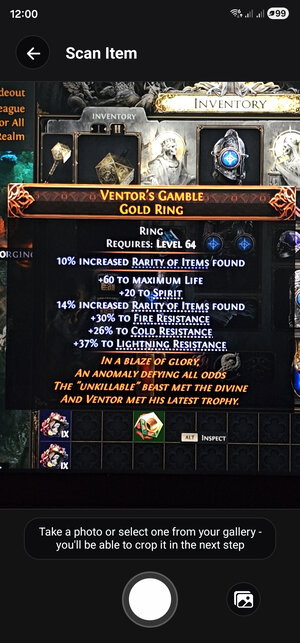
Point your camera at any item
Hover an item in the game and point your phone at the screen — a TV, a monitor, or a screenshot from your gallery. The app reads the item's name and every modifier.
It reads game clients in all eight languages the app supports, and works just as well with a photo taken earlier.
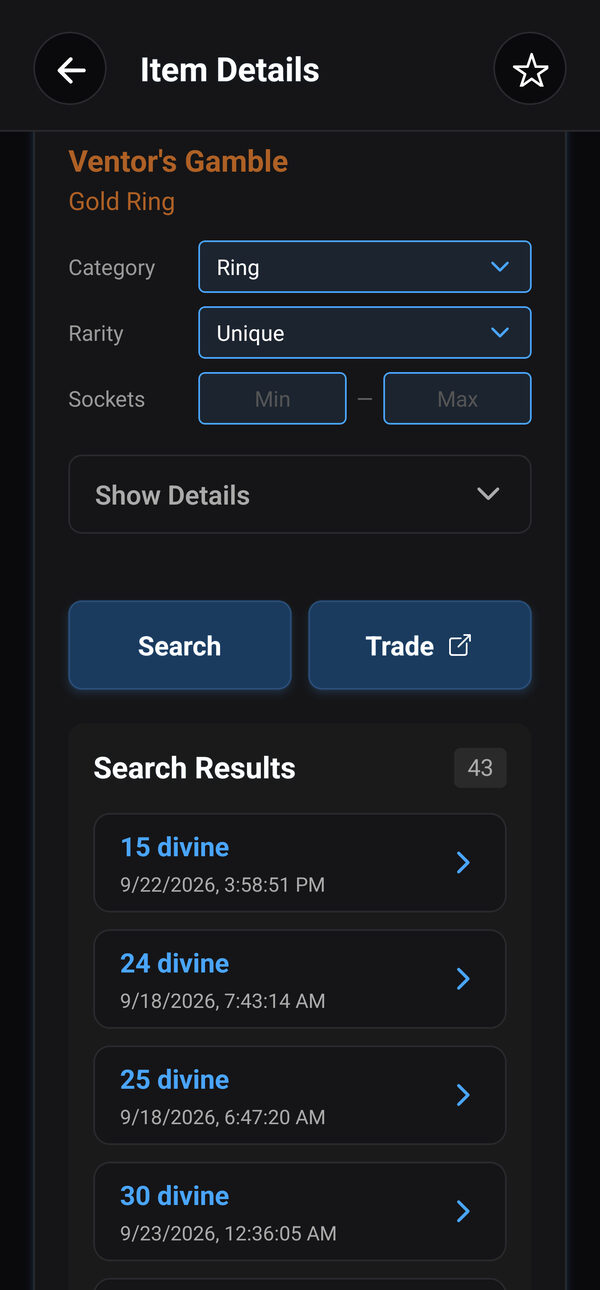
See what it's worth
Listings from the official trade site appear right in the app, cheapest first.
Every modifier becomes a search filter with its value already filled in. Untick the ones that don't matter, loosen a minimum or add a stat, then search again.
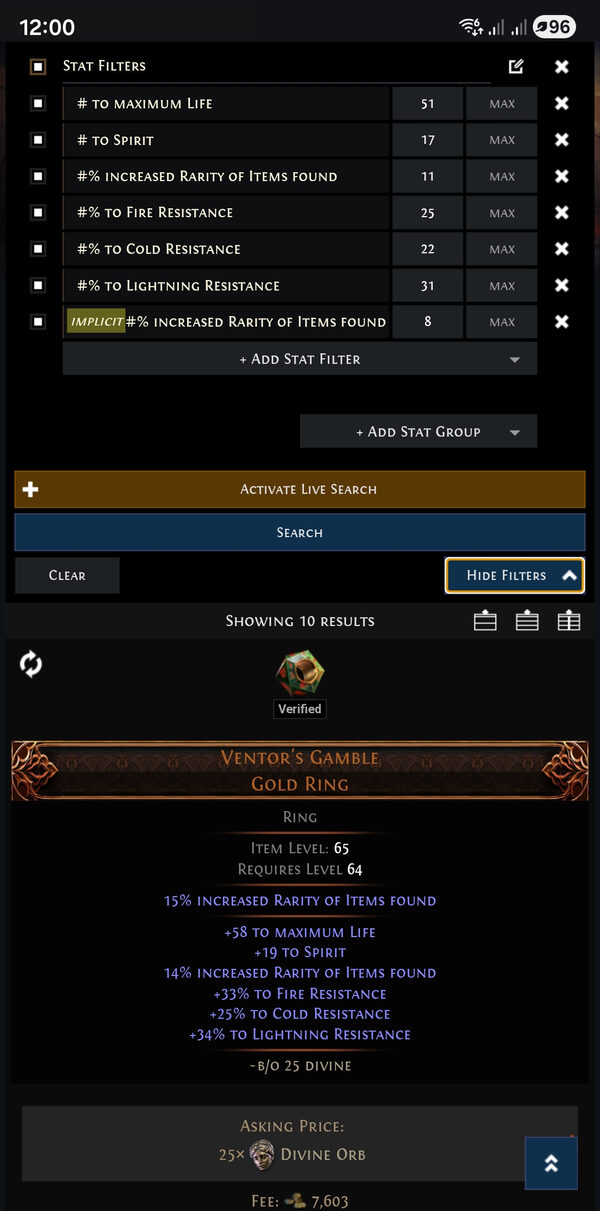
Open the trade site, ready to go
One tap opens the official trade site with the same filters already set — to see every listing, contact a seller or save the search.
More Ways to Price
Bulk Value Scan
Point the camera at ground loot or a reward screen and price all the currency, fragments, essences and runes on it at once.
Search History
Every item you scan is saved, so you can check its price again later — and star the ones you want to keep.
My Listings
Enter your account name to see the items you have for sale, and tap one to search for similar items.
Get the Price Checker
Also in Exile Companion: the build planner, live economy and the campaign guide →Price Checker FAQ
How do I price check items in Path of Exile on PS5 or Xbox?
Hover the item in the game so its description is on screen, then point Exile Companion at your TV and tap scan. The app reads the item and shows prices from the official trade site on your phone — nothing to type, and nothing to install on the console.
How is this different from Awakened PoE Trade or Exiled Exchange?
Those are PC overlays that read an item from the clipboard, so they only work on PC. Exile Companion reads the item with your phone's camera instead, so it works next to any platform — including consoles, where overlays can't run.
Which items can it price?
Weapons, armour, jewellery, jewels, flasks, gems, waystones, logbooks and more — rare items by their modifiers, unique items by name. For currency, fragments, essences and runes, Bulk Value Scan prices a whole screen at once.
What if the scan reads a stat wrong?
Every modifier is shown as a filter you can edit before searching: change a value, untick it, or add a stat the scan missed.
Which game languages does it read?
English, Portuguese, German, French, Spanish, Korean, Russian and Japanese game clients. A Russian client is read through Google Cloud Vision with your own free key — the setup guide walks you through it.
Is it free? Do I need to log in?
Price checking is free and needs no login. Linking your Path of Exile account is optional and only raises your trade search limits. An optional subscription removes ads.